
Free Indicator

Buy & Sell Pressure Candle Coloring for TradingView

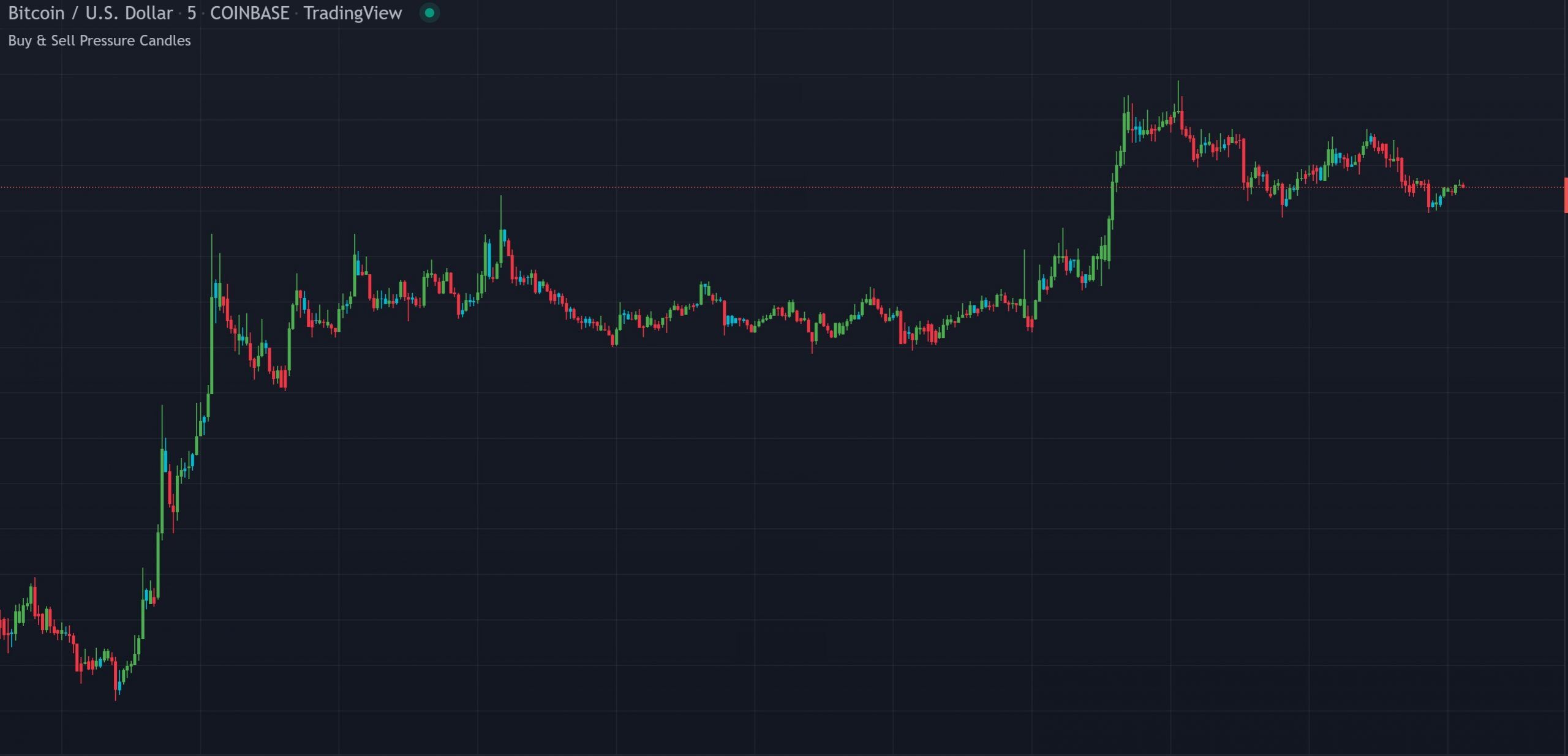
Buy and Sell Pressure Candle Coloring indicator showing green, red and blue candles based on DMI directional pressure on a TradingView chart

This indicator paints each candle green, red or blue based on whether DMI buy or sell pressure is dominant. It replaces standard candle colors with a directional pressure overlay so you can instantly see which side is in control on every bar. Works on all markets and timeframes with adjustable DMI length, smoothing and custom colors.

Built by Lane Dotson · Last updated · View on TradingView →
This is a free indicator - Add it to your TradingView charts at no cost.
Add to TradingView →

WHAT IT DOES

Core Features

A simple candle coloring overlay that replaces standard candle colors with DMI-based buy and sell pressure colors so you can instantly see which side is in control on every bar.

DMI-Based Candle Coloring

When the Directional Movement Index shows more buying pressure than selling pressure, the candle paints lime green (bullish). When there is more selling pressure than buying pressure, the candle paints red (bearish). When buy and sell pressure are equal, the candle paints blue (neutral). This gives you an instant visual read on the directional pressure behind every bar without having to interpret a separate DMI indicator.

Adjustable DMI Settings

You can change the DMI length and smoothing in the indicator settings to tune the sensitivity of the buy/sell pressure detection to your preferred timeframe and trading style.

Custom Colors & Toggle

All three candle colors (bullish, bearish, neutral) can be customized in the settings. You can also toggle the custom candle coloring on or off to quickly compare against the standard candle colors.

INTERPRETATION GUIDE

How to Read the Candles

Candle Colors

Trading With the Colors

Use the color changes to pinpoint reversals and understand the current directional pressure. When candles shift from red to green, buying pressure is taking over. When they shift from green to red, sellers are gaining control. Wait to enter or exit positions until the candles turn the opposite color for confirmation.

Setup Requirement

For this indicator to display properly, you need to turn off TradingView’s default candle colors. Go to Chart Settings (gear icon in the top right corner), open the Symbol tab, and uncheck Body, Borders and Wick. The indicator includes an on-chart info box reminding you of this step.

CONFIGURATION

Settings Overview

The indicator has a small, simple set of options.

Main Settings

Setting Default Description
DMI Length 1 The lookback period for the Directional Movement Index calculation.
DMI Smoothing 1 The smoothing period applied to the DMI values.
Custom Candles On/Off On Toggle the custom candle coloring on or off for quick comparison against standard candle colors.
Candle Colors Green / Red / Blue Customize the bullish, bearish and neutral candle colors.

GOOD TO KNOW

Important Notes & Limitations

You must manually turn off TradingView's default candle colors for this indicator to display properly. Go to Chart Settings → Symbol tab → uncheck Body, Borders and Wick.
The coloring is based solely on DMI directional pressure. It does not factor in volume, momentum or other indicators. Use it as a visual layer alongside other tools for confirmation.

FREE ON TRADINGVIEW

Buy & Sell Pressure Candle Coloring is Free to Use

Add it to your TradingView charts and start seeing directional pressure on every candle today. No subscription required.

100% Free
No Account Required
All Future Updates

COMMON QUESTIONS

Frequently Asked Questions

It's based on the Directional Movement Index (DMI). When DMI+ is greater than DMI-, the candle is green (bullish buying pressure). When DMI- is greater, the candle is red (bearish selling pressure). When they are equal, the candle is blue (neutral).
You need to turn off TradingView's default candle colors first. Go to Chart Settings (gear icon), open the Symbol tab, and uncheck Body, Borders and Wick. The indicator's colors will then display properly.
Yes. You can change the DMI length and smoothing in the indicator settings to make the pressure detection more or less sensitive to suit your timeframe and trading style.
Yes. There is a toggle in the settings to turn the custom candle coloring on or off. This lets you quickly compare the pressure-based colors against the standard candle colors without removing the indicator.
It works on all markets including stocks, crypto, futures and forex, and on all timeframes.

CHANGELOG

Release Notes

DMI Settings, Color Customization & Toggle

Added adjustable DMI length and smoothing, custom candle colors, on/off toggle and an on-chart info box for setup instructions.

What Changed
Added info box to tell users how to turn off normal candle colors
Added ability to turn custom candles on or off for quick comparison
Added ability to change DMI length and smoothing
Added ability to change candle colors
Show older updates
Code Cleanup

Removed unnecessary code.

What Changed
Removed unnecessary code

EXPLORE MORE

Related Indicators

Free

Combines the Directional Movement Index with Fisher Transform for price action signals. Complements the candle coloring by giving you the full DMI data alongside the visual pressure overlay.

Free

Volume profile with buy and sell pressure labels. Pairs well with DMI-based candle coloring by showing where buying and selling volume is concentrated at each price level.

Free

Detects volume spikes and growing volume patterns. Use alongside pressure-colored candles to see when color changes are backed by significant volume, a stronger confirmation signal.